
Setting Up Your Business Profile
Tell SmartlyQ about your business for better AI
Overview
Your Business Profile tells SmartlyQ who you are - your business name, industry, address, and brand details. It's worth filling in early because the AI uses this information to make everything it creates more relevant: on-brand captions, articles that match your industry, and content written for your audience.
Where to find it
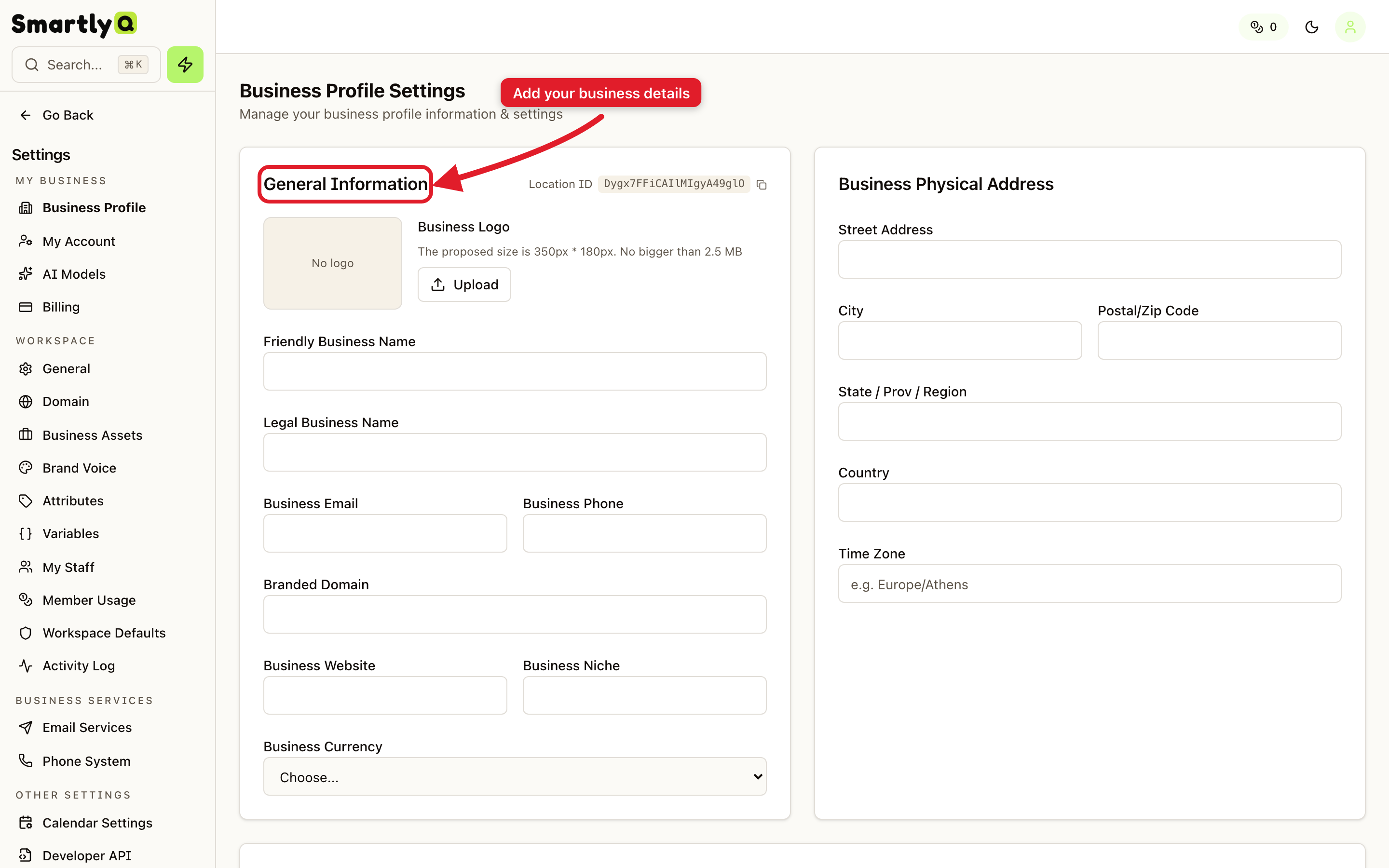
Open Settings from the sidebar, then select the Business Profile tab.
What to fill in
- General Information - your business name, website, and a short description of what you do.
- Business Physical Address - useful for local content, invoices, and compliance.
- Business Information - your industry and other details that help the AI understand your context.
- Authorized Representative - the person officially associated with the account.
Why it matters
- Better AI output - the more the AI knows about your business, the more tailored and accurate your content becomes.
- Consistent branding - your business name and details flow into the content you generate and publish.
- Faster setup - completing your profile is one of the first onboarding steps and unlocks smarter suggestions across the platform.
💡 Tip: Take a few minutes to complete every section. It's a one-time setup that pays off in the quality of everything you create afterwards.