
Connecting Your Social Media Accounts
Connect your social accounts to publish
Overview
Before you can schedule and publish posts, connect your social media accounts to SmartlyQ. Once connected, you can create content, publish it, and track its performance across all your channels from a single place.
Where to find it
Open Publish > Accounts from the sidebar (Social Media - Account Management).
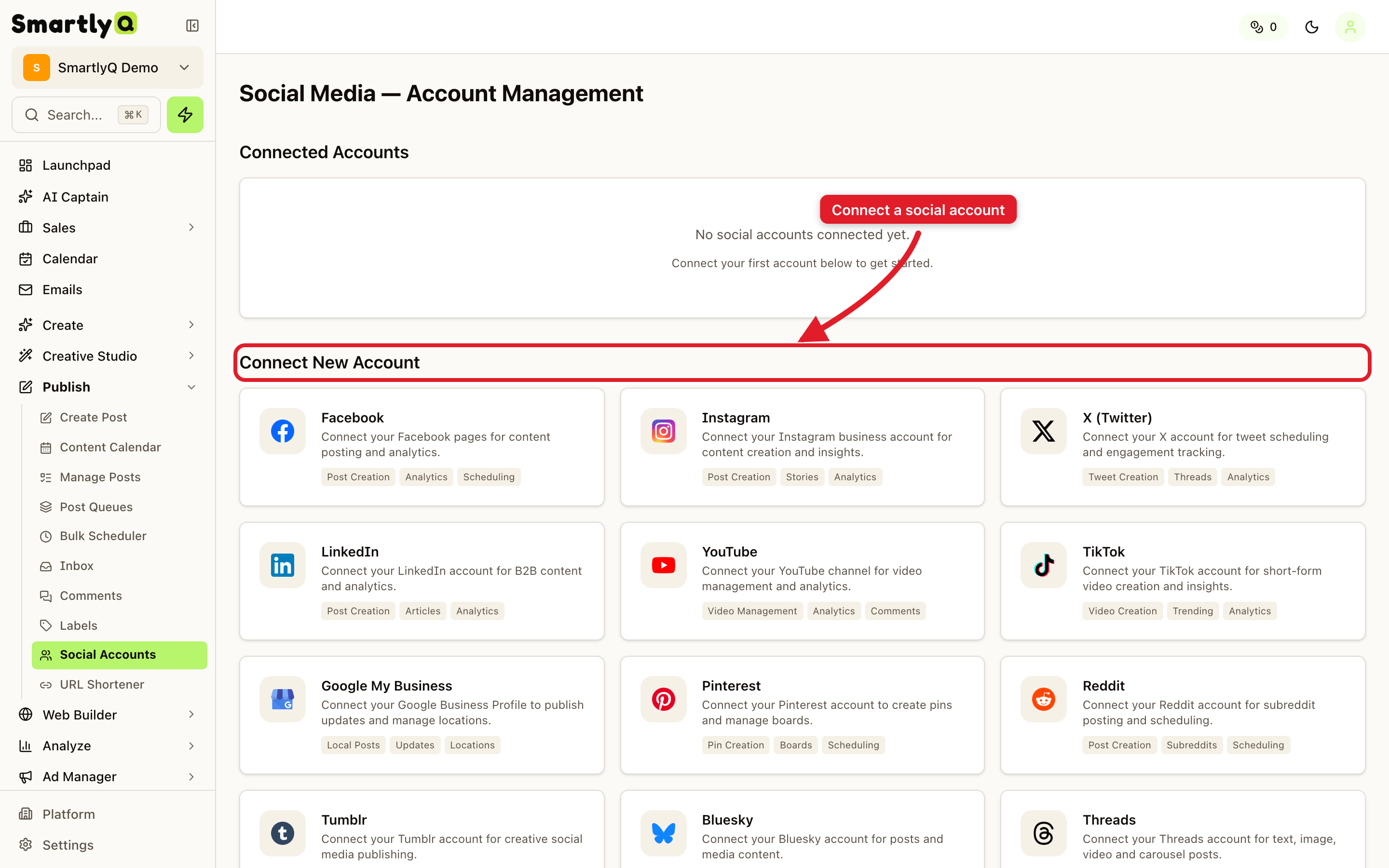
Connecting an account
- Find the platform you want under Connect New Account.
- Click it and authorise SmartlyQ with that platform.
- Choose the specific pages or profiles you want to manage.
- Finish - the account now appears under Connected Accounts and is ready for publishing.
You can connect multiple accounts across different platforms, and reconnect any account later if its authorisation expires.
What connecting unlocks
- Create & schedule posts to the connected channels.
- A unified calendar of everything you have planned.
- Analytics on how your published content performs.
- Inbox & comments so you can manage engagement in one place.
💡 Tip: Connect every channel you actively use so your calendar and analytics give you the full picture of your social presence.